
Digital signage helps universities and colleges deliver real-time campus communication, making it effortless to keep students aligned, engaged and informed.
73% of educational institutions recognize the vital role digital signage plays in communication.
57% of institutions rely on digital signage to improve emergency communication.
87% of colleges and universities use digital signage to improve communication campus-wide.
- Jerry D. | Technology Director

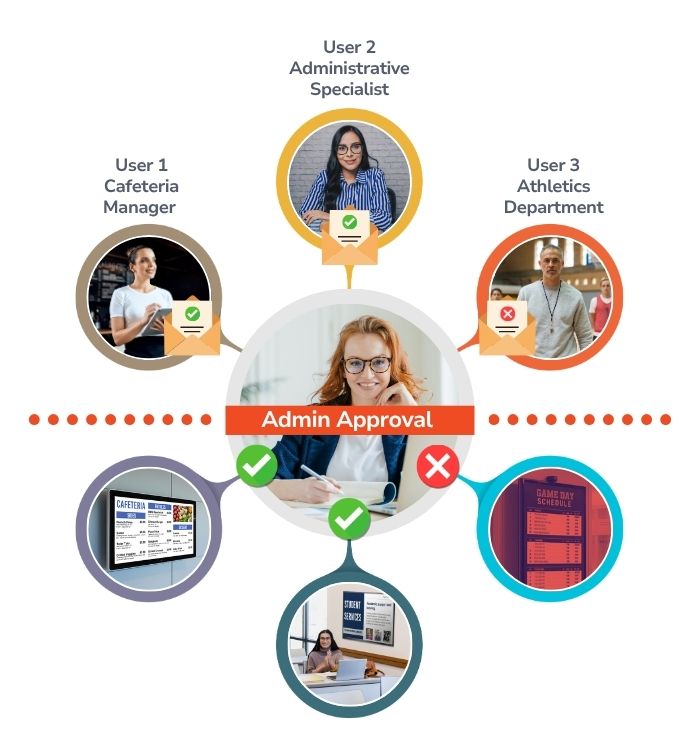
Carousel lets content creators across buildings, departments, or entire campuses easily submit messages, updates, and announcements while administrators review and approve what goes live. Behind the scenes, role-based permissions keep everything organized and secure, giving the right people the right level of access.
Single Sign-On (SSO) simplifies and secures user access by unifying your organization’s authentication process.
Your institution runs on academic calendars, student systems, and a whole lineup of creative and communication tools (and your signage should too). Carousel connects with the platforms your campus already depends on, like Google Workspace, Microsoft 365, Canva for content creation, YouTube for video playlists, emergency alerting systems, and more. Your screens automatically pull in the updates your community needs most, helping you simplify messaging, reduce manual work, and keep students, faculty, and staff informed in real time.
Explore all Features ...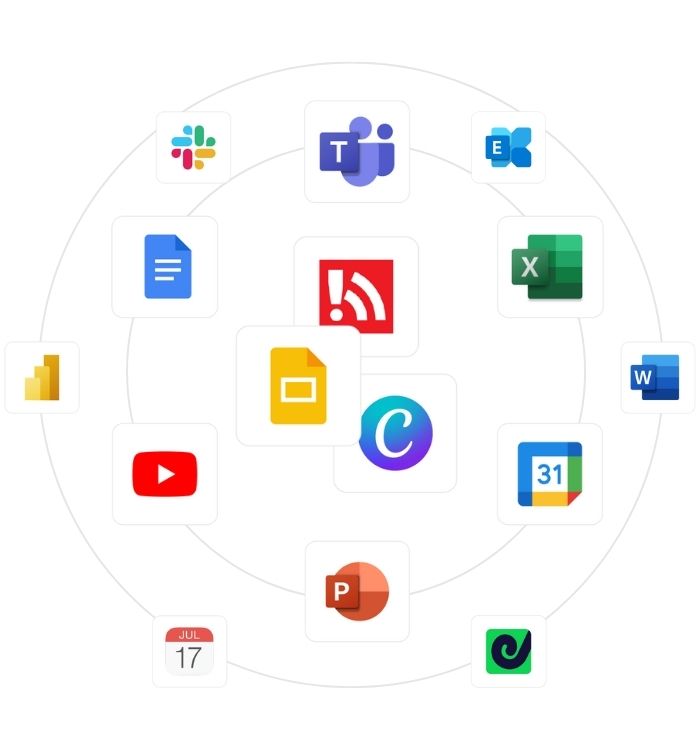
With three decades of experience and a team known for being supportive, approachable, and fun to work with, you can feel confident you’re choosing the right partner.
Talk with our experts
Pricing starting at $25 per player / per month.
No hidden fees. All features are included!
Seamless communication across thousands of devices.
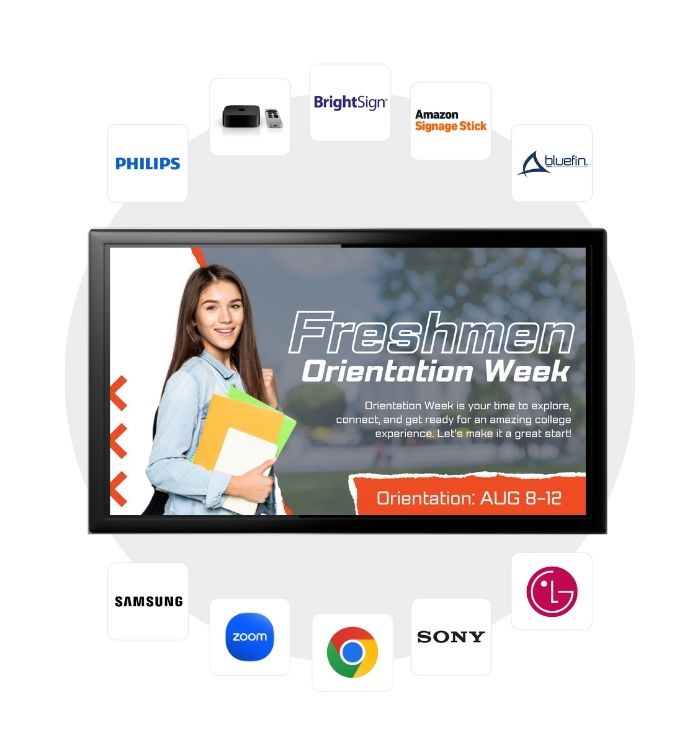
Powered by licensed Carousel software, these integrations do more than display content, they provide the foundation for reliable, campus-wide communication. With built-in content caching, offline alerts, and centralized device management, IT teams can confidently support signage across academic buildings, residence halls, student centers, and athletic facilities.
Whether you’re running dedicated signage players in student unions, displays in residence halls, or managing screens across multiple buildings, Carousel keeps communication consistent and on-brand. Easily scale your digital signage using the devices and infrastructure your IT team already supports. Use the technology you already have or expand when you’re ready, from affordable options to enterprise-grade solutions, Carousel makes it simple to put your message in more places.
Communication shouldn't be limited to a single screen. Carousel gives you a smarter way to extend your messaging across every space, hardware type, and level of complexity, maximizing the impact of the screens you already own.
Carousel Content Feeds make it easy to push impactful messaging to the right screens with a fairly low lift, extending your brand into spaces where communication opportunities already exist. This approach helps institutions reinforce messaging in shared environments like classrooms, study spaces, and meeting rooms, without adding complexity or replacing existing technology.
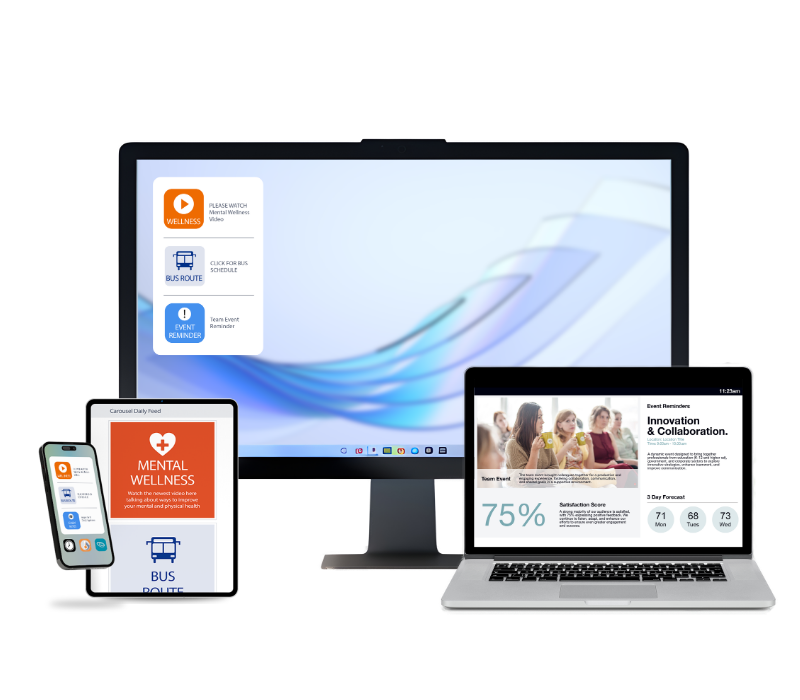
Keep personnel informed, aligned, and mission-ready with The Daily: Communication App for Students. Whether your students are stationed at a desk or moving between classes, The Daily transforms laptops, desktops, and mobile devices into strategic communication channels sending information straight to your students fingertips.
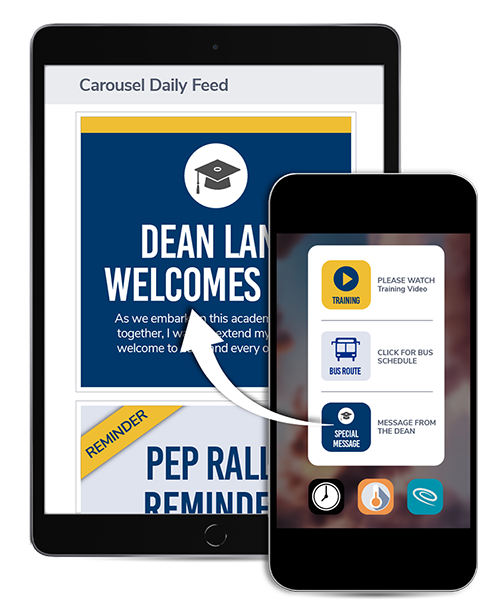
100's of free templates and assets
Not only does Carousel integrate with your favorite tools to simplify content creation, but it also includes a fully loaded creator library (packed with pre-made channel designs, templates, icons, and more) and it’s free with every subscription.
Explore Our Library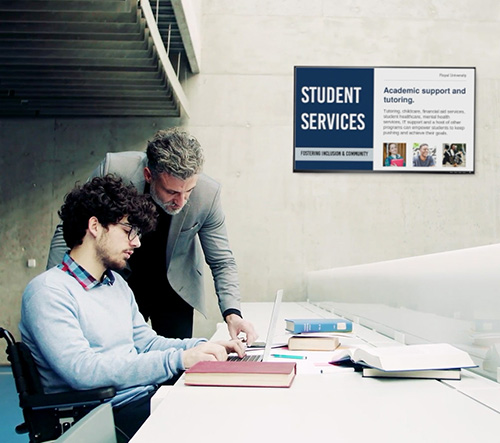
Across academic buildings, digital signage delivers relevant updates, showcases department accomplishments, and keeps students informed and engaged in their field of study.
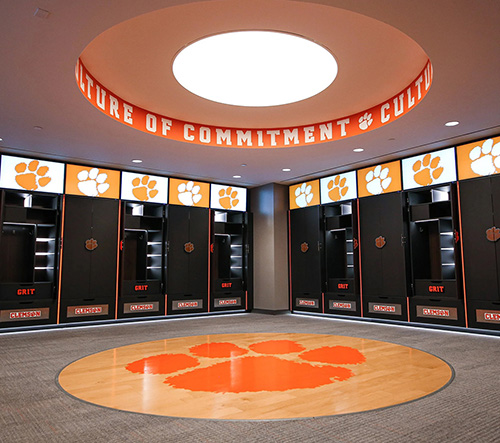
Digital signage elevates the student-athlete experience by modernizing locker rooms and athletic facilities. It supports recruitment, reinforces team culture, and highlights achievements that motivate both current athletes and prospective recruits.
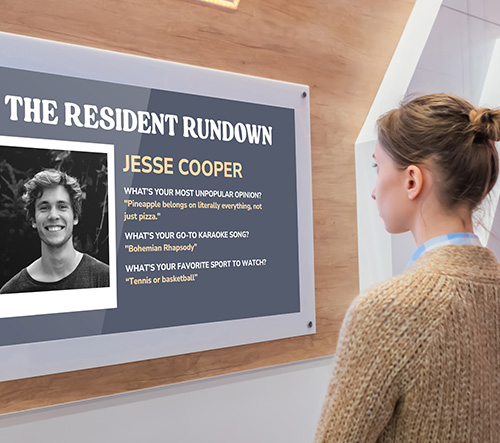
In housing, digital signage delivers the updates and resources students need to feel welcomed, supported, and connected to their residential community.
Learn how Carousel strengthens connection in campus housing
Digital signage makes campus-wide communication fast and reliable, with the ability to send broad updates, targeted messages, or real-time emergency alerts.

Digital signage is a critical part of campus safety. With CAP-enabled emergency integrations, Carousel can quickly push alerts to every screen or only the locations that need them, ensuring students and faculty receive timely, accurate information when they need it.
See how Carousel integrates with emergency alert systems
Carousel offers an alternative browsing experience for visually impaired users through its Accessibility Site. It works seamlessly with screen readers and assistive technologies helping institutions communicate with everyone on campus.
Learn more about accessibility and ADA complianceCampus-wide communication
Visitor welcome / wayfinding
Campus emergency alerts
Student Recognition
Academic calendar reminders
Student life promotions
Dining hall + housing updates
Faculty communications
Student center + club promotions
1. How easy is it for different departments to manage their own content?
With Carousel Zones and flexible user permissions, departments across campus (like Student Affairs, Admissions, Housing, Athletics, IT, and Academic units) can easily manage their own content on shared screens. Each zone acts as a dedicated space for specific updates, announcements, or events, while workflow permissions ensure the right people have the right level of access.
Content creators can submit messages for review, and designated approvers or administrators can approve, edit, or schedule content before anything goes live. This structured, role-based workflow keeps campus communication organized, on-brand, and secure, making it simple for teams to collaborate while maintaining full administrative control.
2. Can we target content by building, department, or specific screens?
Absolutely. Carousel makes it easy to deliver the right message to the right place on campus. You can target content by building, department, floor, zone, or even down to a single screen, ensuring each audience sees only what’s relevant to them.
Want housing updates in residence halls, event promos in student centers, faculty notices in academic buildings, and dining menus in the cafeteria? You control exactly where each message appears, so communication stays clear, intentional, and aligned with the needs of every corner of campus whether that is one screen or the entire campus.
3. How well does it integrate with systems we already use?
Carousel integrates seamlessly with the tools colleges and universities use every day. You can pull in content from Google Workspace, display YouTube playlists, embed designs from Canva, connect campus calendar feeds, and tie in RSS, social media, and other automated content sources.
For safety and operations, Carousel works with CAP (Common Alerting Protocol), allowing urgent messages to instantly override scheduled content across campus. Explore all of Carousel's features and integrations.
4. What happens in an emergency? Can alerts override everything?
Yes. Carousel’s emergency alert system instantly overrides scheduled content, triggered manually or through CAP-compliant integrations. It supports alert prioritization, allowing high-severity messages to take over. Learn more about emergency messaging with Carousel.
5. Will it work across multiple buildings and lots of screens?
Yes. Carousel is designed for campuses that span multiple buildings or departments. Whether you’re running a handful of screens or hundreds, Carousel scales effortlessly.
You can manage screens across residence halls, academic buildings, dining centers, libraries, athletic facilities, and student unions. Device management tools make it easy to monitor players, push updates, and ensure every screen stays online and up to date.
6. Is it easy for non-technical staff and students to use?
Carousel is built so anyone on campus can use it with confidence. The interface is simple and intuitive, making it easy for faculty, administrative staff, and even student workers to create, update, and schedule content without needing technical experience.
7. Is Carousel SOC 2 compliant?
Yes. Carousel is SOC 2 compliant, meaning it follows strict, independently audited security standards for data protection and system reliability. We base our information security program on industry standard frameworks and conduct regular audits to ensure we are meeting our commitments to ourselves and our customers. We engage with third party partners to conduct a SOC 2 Type 2 audit and application penetration. Learn more about our security focus.
8. Is Carousel compliant with ADA Title II and upcoming accessibility requirements?
We strive to design and build our products and websites in alignment with the Web Content Accessibility Guidelines. Review our ongoing improvements to Accessibility in Digital Signage here.
9. Is Carousel easy for campus IT teams to manage?
Yes. Carousel is designed to simplify digital signage management for campus IT and AV teams. From a centralized dashboard, administrators can manage screens across multiple buildings, assign role-based permissions to departments, monitor device health, and integrate with existing campus systems. This allows IT teams to maintain control while empowering departments to manage their own content.
10. Where can digital signage be installed on a college or university campus?
Digital signage can be installed across many campus locations to improve communication and visibility. Common locations include residence halls, student centers, dining halls, academic buildings, libraries, athletic facilities, admissions offices, and campus entrances. These screens help universities share announcements, promote events, display schedules, and deliver emergency alerts in the places students and faculty pass every day.
Emergency Messaging with Carousel
Carousel makes it easy to manage everyday content and quickly elevate critical messages across locations.
Learn how digital signage works with your emergency strategy ...
Digital Signage Supports Student Wellness
Digital signage helps support social and emotional learning by sharing messages that build positive youth development.
Improve Communication with Tools You Already Have.
Simplify campus communication with digital signage that works with your existing tech. Fast, affordable, and built for higher ed.
Schedule time and learn just how easy it can be to communicate the right message, to the right people.


